Reference clip
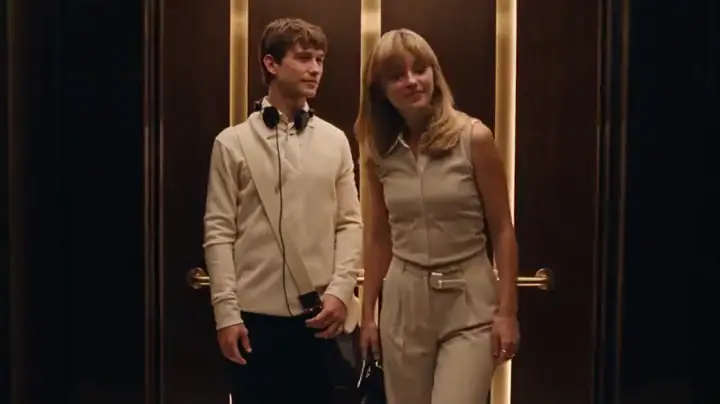
The two-person elevator scene
One person slides off their headphones, a conversation begins, and the doors open on a wide shot.
Two people share a warm, wood-paneled elevator. One slides off a pair of headphones, the other starts the conversation, and the doors open on a wide shot. Upload two photos and I Love The Smiths AI casts you both with Seedance 2.5. No prompts, no watermark, 100 credits per video.
 Trending
This is the clip the template follows: the elevator, the timing and the sound stay, and the two people come from your photos. Tap it to play it with sound.
One person slides off their headphones, a conversation begins, and the doors open on a wide shot.
Two people from the same office ride an elevator. A Smiths track is leaking out of one pair of headphones, and the other person says so: "I love The Smiths." It takes a second try to be heard, then a few lyrics get sung back. That elevator moment is from (500) Days of Summer.
The scene has circulated widely on Instagram Reels and TikTok, and Smiths fans were still divided over it ten years after the film came out.
I Love The Smiths AI on FYPNova turns that exchange into a two-person template. One photo becomes the quiet one in headphones, the other becomes the person who speaks first, and Seedance 2.5 keeps the elevator, the timing and the sound while the faces, hair and clothes come from your photos.
No elevator, headphones or script needed.
Open the FYPNova generator with I Love The Smiths already selected.
Upload one clear photo for the person in headphones and one for the person who speaks first.
Seedance 2.5 makes your elevator scene. Usually ready in about 10 minutes, HD, no watermark.
The scene stays close on both faces for most of its 24 seconds, so a clear face matters more than a fancy photo.
Two roles, plenty of people to put in them.
Give the first line to the friend with the loudest opinions about music.
Drop the guest of honor in the elevator and send it to the group chat that morning.
Post it on a fan page or playlist account where the joke lands right away.
Share it on a day when you feel like quietly judging everyone else’s taste in music.
100 credits per video
Subscriptions start at $16.58/mo on yearly billing, one-off credit packs at $14.90. Paying yearly takes up to 47% off, which brings the cheapest template down to $2.08 a video.
It centers on a short elevator exchange and the line "I love The Smiths": someone hears a song through a coworker’s headphones and speaks up.
A two-photo video template on FYPNova. You upload one photo per person, and Seedance 2.5 makes the 24-second elevator scene with both of you.
Open the generator with this template selected, add a photo for each person and press Generate. No prompt or editing needed, and it is usually ready in about 10 minutes.
The AI works from the face, hair, skin tone, build and clothes in each photo, and follows the moves and timing of the reference clip.
The first photo becomes the person in headphones and the second becomes the person who speaks first. Anyone can take either role.
Each video runs 24 seconds in wide 16:9, with the sound of the scene included.
Each video costs 100 credits. If generation fails, the credits are refunded automatically.
No. FYPNova is not affiliated with the film or its rights holders, or with the band. Use photos only of yourself or people who agreed to appear.
 Tiny Desk AI
 Dirty Dance AI
 Mi Chico Dance AI
 Baile Charme AI
 Damon Salvatore AI
 BbY WOW AI
 Neon Dance AI
 Hit the Road Dude AI
 Unforgettable Car Trend AI
 Venom Car AI
 Caught by the Sniffer Dog AI
 Bad Times AI
 I Feel Like Nicole AI Dance
 Mesut Ozil Bounce AI
 Bulin 47 AI
 Money Flex AI
 Clapping Cat AI
 Alors on Danse AI
 Rumpelstiltskin AI
 Cheba Man AI
 Ramalama AI
 Toc Toc AI
 Storm AI Dance
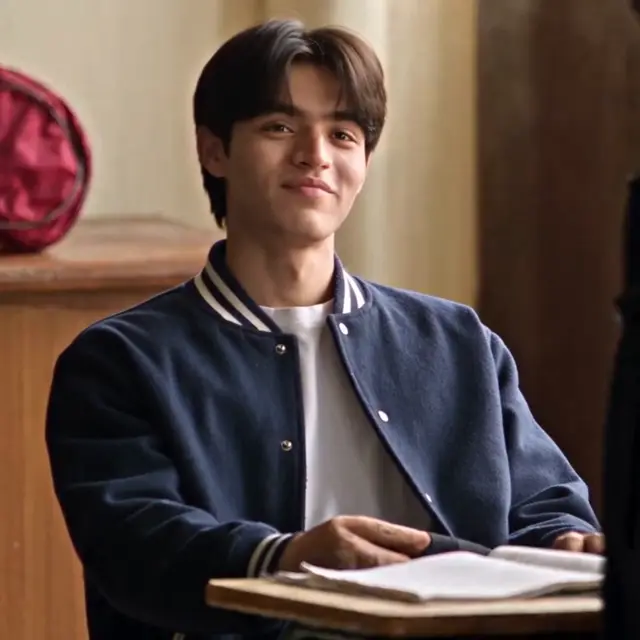 Aura Farming Korean AI
Two photos, one click, one I Love The Smiths AI video. 100 credits per video, HD, no watermark.